How it works · 02 Planning

Know what runs next, and where.

Your team sees each job's due date, machine and who's on it, without walking the floor to ask.

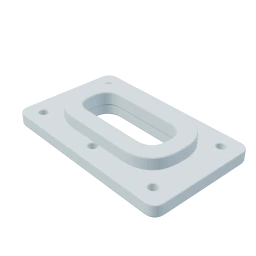
Project #142
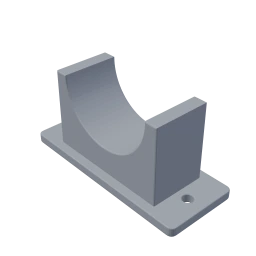
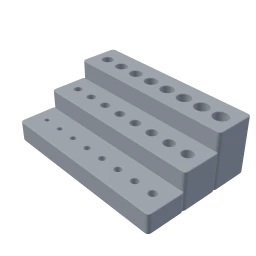
Test fixtures
Product EngineeringDue Friday
  1. 1 Model UploadedBy Customer on Oct 5, 2026
  2. Under Reviewon Oct 5, 2026
  3. 3Start Production
  4. 4Mark as CompletedDue Friday
  • Check files and orientation
    Riley
  • Slice and plan two builds
    Jordan
  • Print 12 fixtures
    High PriorityJordan
  • Count and inspect
    Riley
  • Set out for pickup
    Sam
Deadlines

See every job due this week, and which ones are behind.

Each day's column holds the jobs due that day, with how many parts of each are done.

Projects
Tue Oct 20
1300
Rush
Assay Development
1 model, 100 units
Grey Resin
24/48 Printing52/100 Counted
1290
Gasket trials
Process Development
Pickup
2 models, 16 units
Clear Resin
0/0 Printing16/16 Counted
Thu Oct 22
1332
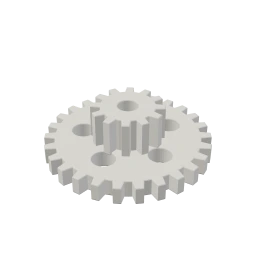
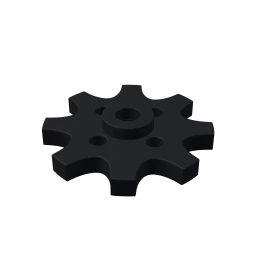
Gear train v2
Device R&D
5 models, 60 units
White mixed material
22/40 Printing20/60 Counted
1342
Pilot Plant
3 models, 18 units
Grey ASA
6/18 Printing0/18 Counted
1372
Facilities
Pickup
2 models, 10 units
Orange PLA
0/0 Printing10/10 Counted
Fri Oct 23
1423
Test fixtures
Product Engineering
1 model, 12 units
White PETG
6/12 Printing0/12 Counted
1313
Process Development
2 models, 24 units
Blue PETG
3/18 Printing6/24 Counted
1263
Testing
Quality Lab
4 models, 28 units
Mixed materials
0/28 Printing0/28 Counted
Mon Oct 26
1286
Packaging Engineering
Pickup
3 models, 30 units
Black PLA
0/0 Printing30/30 Counted
1386
Sensor mounts
Device R&D
4 models, 32 units
Black PLA
0/32 Printing0/32 Counted
1406
Packaging Engineering
3 models, 40 units
Mixed color PETG
12/40 Printing0/40 Counted

Your team updates these counts as parts come off the machines.Swipe through the week

Calendar view

Sort every job in production by when it's due.

Press Calendar on the board, and the soonest due date comes first.

Projects
Try it
New
141Email
Packaging Engineering
3 models, 40 units
Mixed color PETG
139
Pilot Plant
2 models, 6 units
Grey ASA
Under Review
136
Testing
Quality Lab
1 model, 20 units
Clear Resin
135
Facilities
Pickup
2 models, 8 units
Orange PLA
In Production
1423
Test fixtures
Product Engineering
1 model, 12 units
White PETG
6/12 Printing0/12 Counted
1342
Pilot Plant
3 models, 18 units
Grey ASA
6/18 Printing0/18 Counted
1386
Sensor mounts
Device R&D
4 models, 32 units
Black PLA
0/32 Printing0/32 Counted
Show More
Completed
127
Pilot Plant
Delivered
1 model, 4 units
Nylon PA12
125
Quality Lab
Pickup
2 models, 16 units
Grey ASA
  • 6 More than three days
  • 3 Three days or less
  • 0 Due today, or late
  • The number on each card is the days left until that job is due.
Team collaboration

Conversations stay with the job.

Riley Chen9:04 AM

Files for the 12 test fixtures are checked. White PETG, no supports needed.

Riley Chen moved the project into In Production

Jordan Park9:31 AM

Riley Thanks. The parts are sliced, and the build files are in the project.

@productionProduction team3 people
Riley ChenProduction team

No new notifications

Jordan ParkProduction team

No new notifications

Alex RiveraProduction team

No new notifications

Projects

Find any past job, with its files, settings and counts.

When a part is needed again, everything from last time is on its job.

Filter and sort

Narrow the board to one material, machine or teammate, with the soonest due date at the top.

  • Filter by material, machine or assignee
  • Group by status, stage or due date
  • Sort by due date or date created

History logs

The job’s chat logs each status change, count and file, with who did it and when.

Stage counts

Count parts through stages you name, like machining, printing, inspection and packing.

Machine-ready files

The files your machines run are saved on the job. 3D print files show their print time, material and settings.

File versioning

Replace a part’s file with a newer version. Earlier files stay in its history, with who uploaded them.

Questions from your team

Your team looks up where a job stands, instead of asking you.

Each answer is on the board or on the job itself.

MOMachine operatorWhat’s due first in this material?
Filter and sort

Narrow the board to one material, machine or teammate, with the soonest due date at the top.

SLShift leadWho moved it, and when?
History logs

The job’s chat logs each status change, count and file, with who did it and when.

SLShift leadHow many are done?
Stage counts

Count parts through stages you name, like machining, printing, inspection and packing.

MOMachine operatorWhere’s the file we ran last time?
Machine-ready files

The files your machines run are saved on the job. 3D print files show their print time, material and settings.

TTechnicianIs this the latest file?
File versioning

Replace a part’s file with a newer version. Earlier files stay in its history, with who uploaded them.

Next stepProduction Machines, maintenance, stock and part counts

Let's set it up for your shop.

Try it free on your own jobs, with a walkthrough if you'd like one.